Create a validation rule
You can create validation rules to verify whether assets meet certain criteria.
Prerequisites
- You have a domain of the type Validation Rule Domain.
- You have a global role that has the System administration global permission.
Steps
- Open any application, for example the Business Glossary.
- In the main menu, click the
Create (
 ) button.
The Create dialog box appears. - Click the Assets tab.
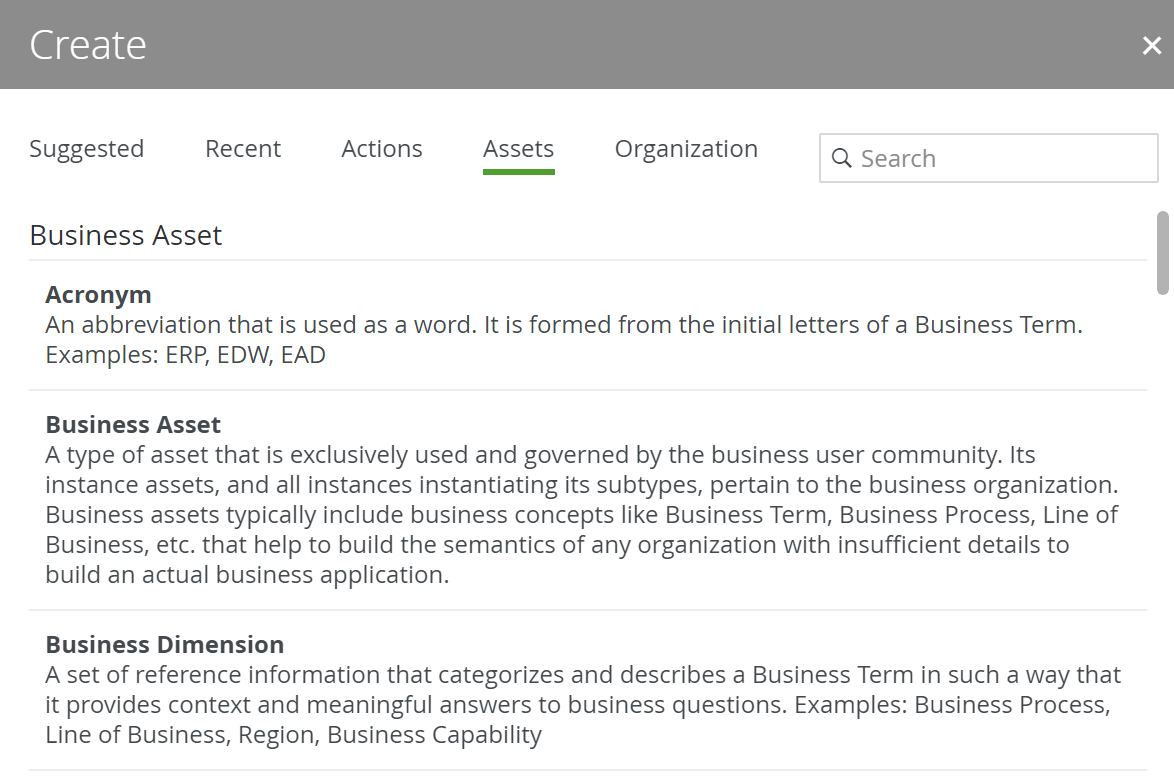
- Click Validation Rule.
The Create Asset dialog box appears. - Enter the required information.
Field Description Type The asset type of the assets that you are creating, in this case Validation Rule.
Domain The domain to which the new assets will belong. You can only create a asset type in any domain of a domain type that is assigned to a Validation Rule asset type.
Name The names of the new Validation Rule assets.
TipYou can create multiple
To do this, press Enter after typing a value and then type the next. - Click Create.
A message at the top-right of your screen confirms that one or more assets are created.
What's next?
- You can now open and edit the validation rule asset, for example to add a validation script.
- Assign the validation rule to an asset type.