Create a backup in Collibra Data Governance Center 4.6.x
If you want to create a full or partial backup of your Collibra Data Governance Center environment, follow these steps:
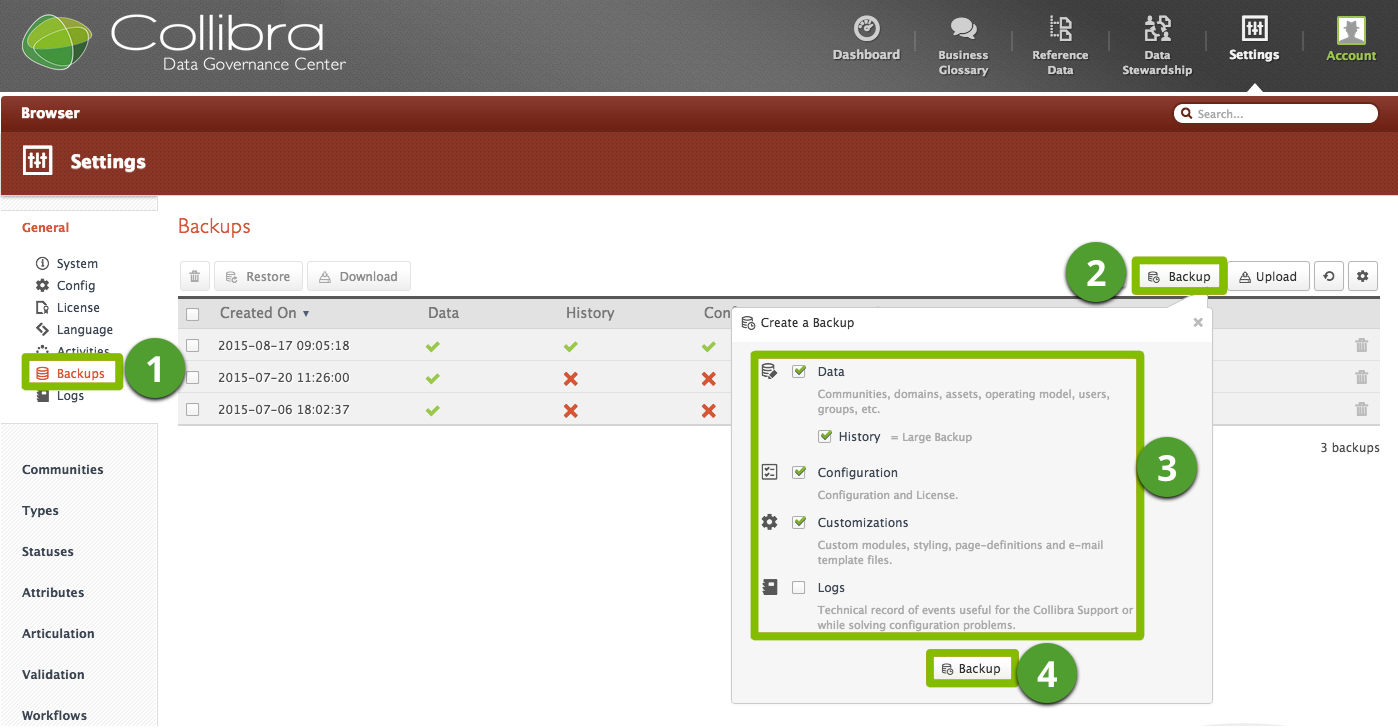
- Open Collibra DGC as a user with Administrator permissions.
- In Collibra DGC, click Settings → General → Backups.
- Click the Backup button.
- In the dialog box, select which items you want to back up.
Include ALL aspects, except logs in the backup. - Click the Backup button.
- When the backup is complete, download the backup file.
Note The time it takes Collibra DGC to create the backup depends on the amount of data included. In the lower right corner of your screen, a progress bar is displayed. You can hide it by clicking the cross sign, or you can cancel the backup by clicking the trash can.