Data anonymization via Jobserver
Tip If you profile and classify via Edge, the data is automatically anonymized before it is sent to Collibra Data Intelligence Cloud.
To ensure that sensitive data is not stored in the cloud, you can enable the Anonymize data option in Collibra Console.
With this option enabled, Collibra anonymizes the content of columns with data of the type Text and Geo immediately at the end of the profiling process. As a result, data samples and the values that are shown in the data distribution charts are replaced by a random hash value for columns that contain these data types. Attributes that could contain sensitive data, like attributes of the type Mode or Percentiles, are no longer calculated for columns with data type Text or Geo.
Identical values in a column get the same hash value so that you can still recognize the values as identical.
Collibra detects the data type of a column during profiling and only anonymizes the data if the data type attribute is Text or Geo. However, if Collibra detects a data type that does not correctly correspond with the actual data type, some data may not have been anonymized or has been wrongfully anonymized. To solve this, you can manually modify the column's data type and profile again.
Example You enabled the Anonymize data option in Collibra Console and profiled a column that has data type Text. If you go to the Summary or Data Profiling tab, all textual and geographical data has been removed or replaced by hashed values: 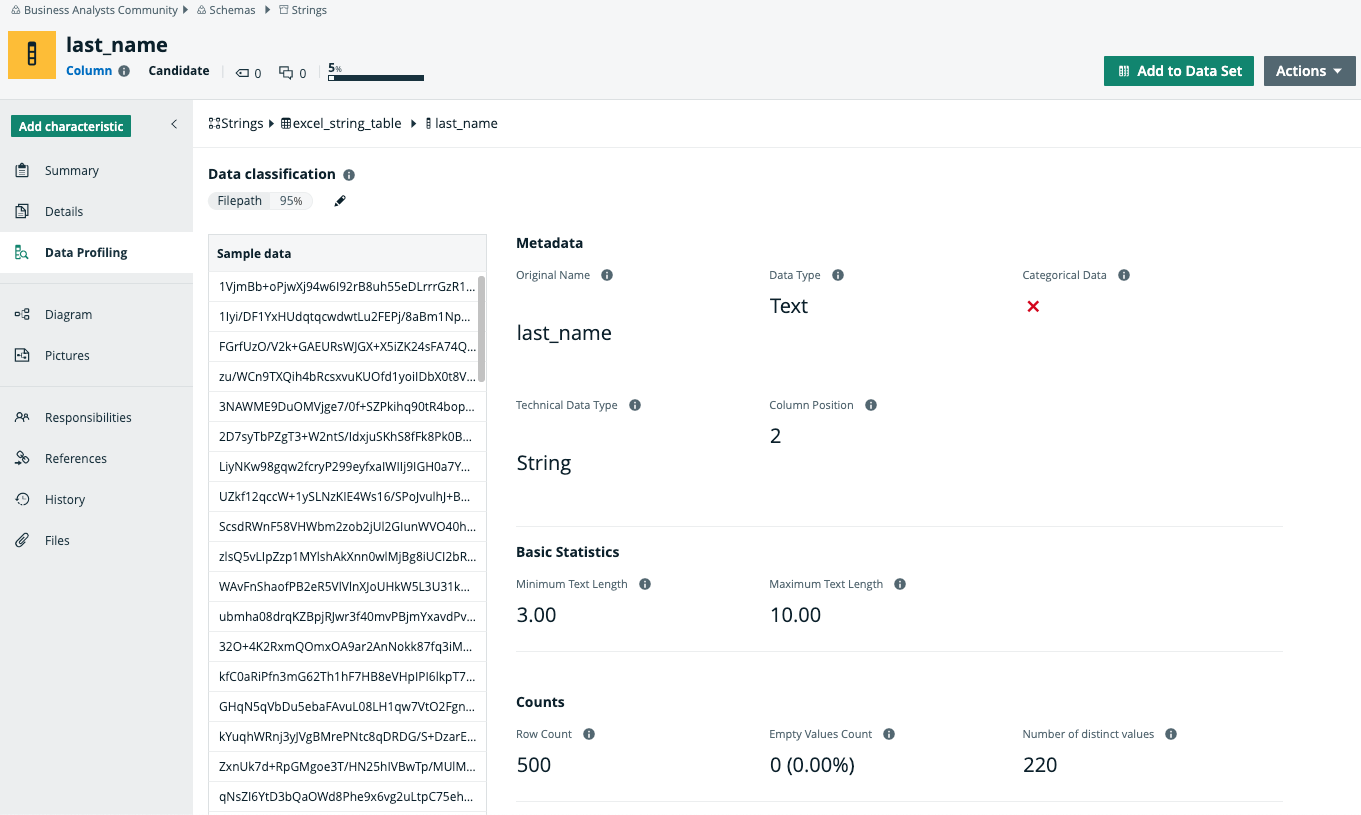
Note Collibra does not automatically anonymize your data. To ensure that your sensitive data is not stored in the cloud, you must enable the Anonymize data option in Collibra Console. This option is by default disabled.
Warning Currently, if you enable the data anonymization process you can no longer use automatic data classification via the Data Classification platform. However, you can still classify and anonymize profiling results if you use Edge.