Workflow best practices
Applies to: Workflows
Recommendation
Design for workflow modularity/reuse whenever functionally and technically possible.
Impact
- Shorten development and decrease complexity of individual workflows.
- Promote a more unified approach to business process governance within Collibra.
- Avoid re-work, unnecessary complexity, and excessive workflows executing on obsolete or over-abundant workflow definitions.
- Improve user experience and usability of forms in workflows.
Recommended action
- Workflows such as 'General - Approve' or 'General - Reject' are examples of out-of-the-box workflows that can be called by other workflows to achieve reusability, modularity, simplification and shortening of the calling workflow.
- Master workflow diagrams should visually include all called sub-workflows to provide an overall picture of the entire process flow.
- Each sub-workflow should focus on a single, simple sub-process or function
- Workflow Form Design best practices:
- Add subtitles to break up longer forms, and to offer a clear grouping of attributes.
For example, 1. General Information in the screenshot.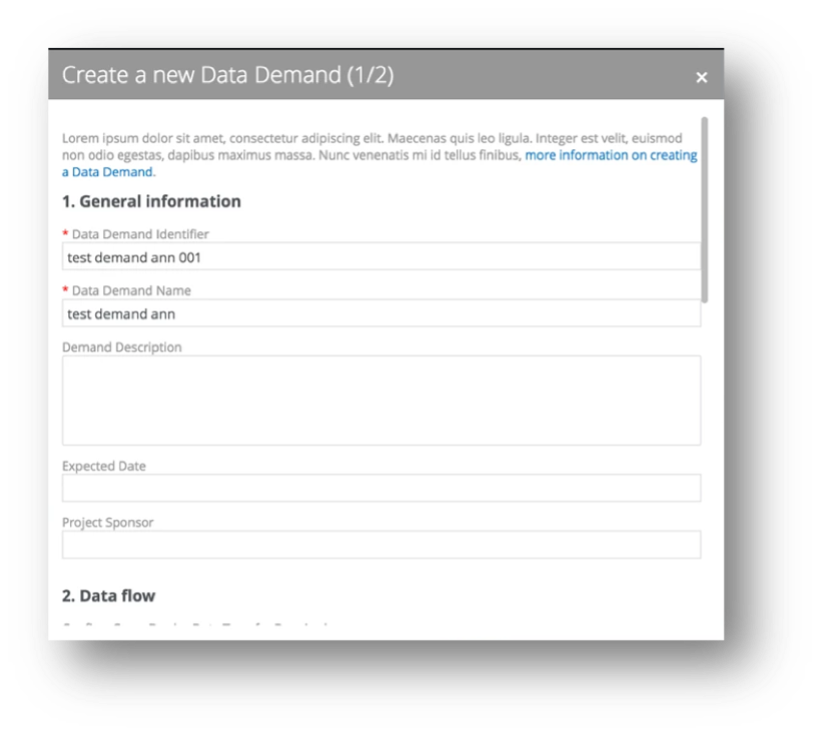
- Where possible, consider splitting certain forms into multiple screens/steps.
“1. General Information” vs “2. Data Flow” in the previous screenshot - Give users a clear indication of which step they are in. For example, ‘Create new Data Demand (1/2)’
- Where ‘rich text’ input is not needed, use plain text (no text editor) input to make the forms less complex
See Demand Description field in the previous screenshot. - Numbering the subtitles, allows you to add additional information in your business process documentation, and gives users a better sense of where in the process they are.
Collibra product capability it relates to
Workflows
Topic area
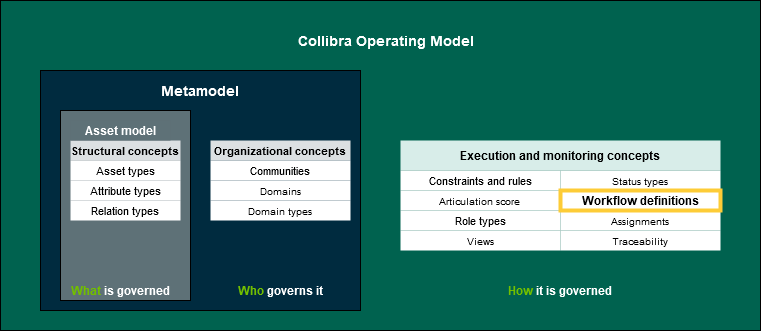
Execution and Monitoring (Workflows)
Criteria measurement type
Workflow script
Review Workflow BPMN file.
For more information, see the Documentation Center and Developer Portal (requires Collibra login):
- Workflow documentation: https://developer.collibra.com/workflows/workflow-documentation/
- Import API documentation: https://developer.collibra.com/rest/import-api-documentation/