User mentioning
User mentioning is a useful way to draw the user's attention to a page or comment. When you mention a user, they will receive an email which contains the content of the comment in which they are mentioned and a direct link to the asset page.
Mentioning users
To mention a user in a comment, you type the @ symbol followed by the user's first name, last name or username. Matching names appear as you start typing a name, even if the typed character is not the first character as shown in the following example.
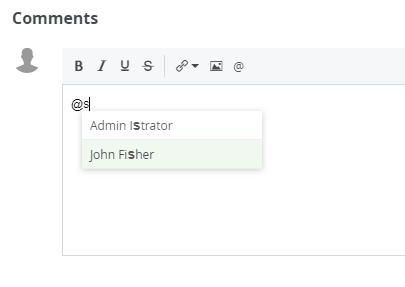
If the first name and or last name is available, these will be used to address the user, if those are not available, then the username will be used.
Note If a user is deleted, all the mentions are replaced by @Deleted User.
View permissions
If you mention a user who does not have the view permission on the asset, it will be indicated when you select the user.
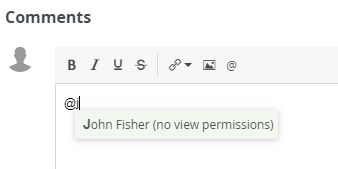
As a mentioned user, if you open the link in a mail, you see a Not authorized message if you don't have the permission to view the asset.
List of user mentions
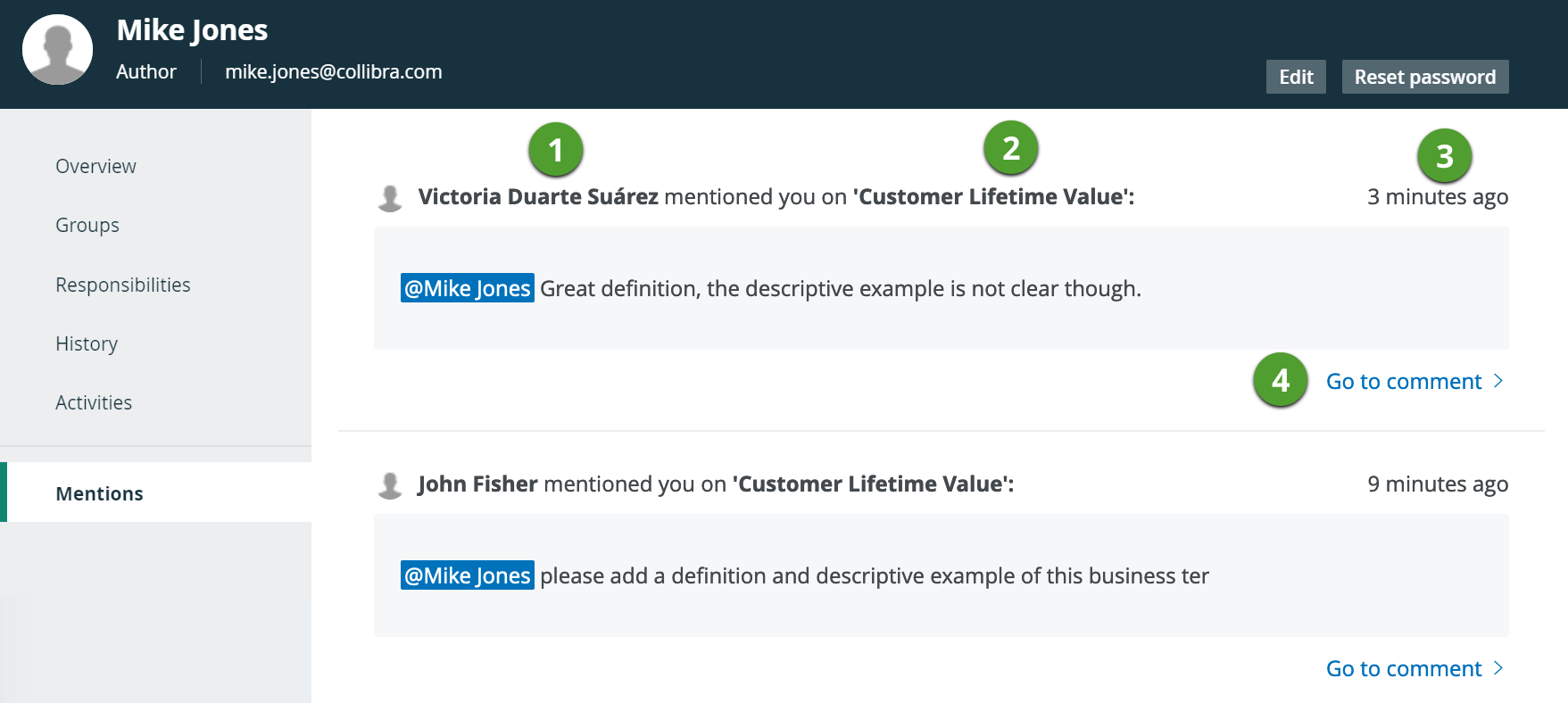
To see all the comments in which you are mentioned, go to your own profile page and select Mentions in the tab pane.
You cannot see somebody else's list of mentions.
|
Item |
Description |
|---|---|

|
The name of the user who has mentioned you. This can be the full name, first or last name or the username of that user, depending on which information is available. |

|
The name of the asset to which a comment is added. |

|
The time when the comment has been added. |

|
The direct link to go to the comment on the asset page. The comment will be highlighted on the asset page. |
Email content
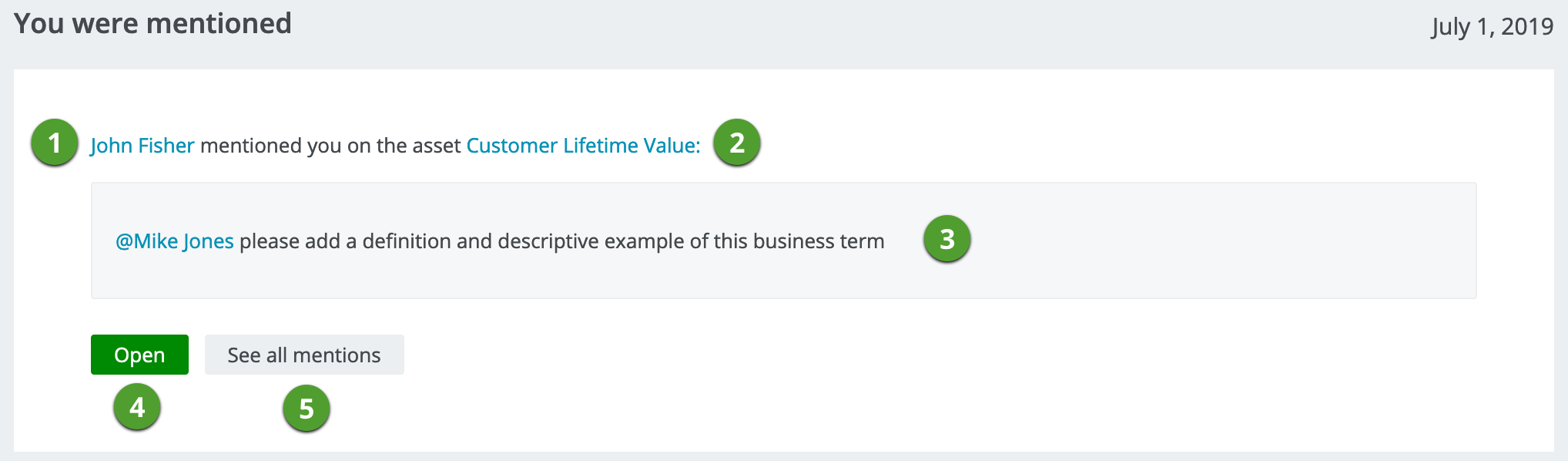
When you add a comment to an asset page, you can also mention users. Users who are mentioned, will receive an email.
|
Item |
Description |
|---|---|
|
|
The user who mentioned you in a comment, this can be the first name/last name or username. If you click the name, you go to the user's page in Collibra. |
|
|
The asset name to which a comment has been added in which you are mentioned. If you click the name, you go to the asset page in Collibra. |
|
|
The full content of the comment in which you are mentioned. If you click your name, you go to your own user page in Collibra. |
|
|
The button to open the comment in your Collibra environment. |

|
The button to open the list of comments in which you are mentioned. You have to sign in with your own account to see this list. |