Specify maximum flow depth
To help you control the size of business diagrams, you can specify the maximum flow depth in a diagram view.
Note
- Currently, you can only specify the maximum flow depth via the diagram view JSON text editor.
- The value that you specify in the diagram view supersedes the value in Collibra Console. The default value in the Collibra Console configuration setting is 50.
Steps
- Open a diagram view.
-
In the View bar menu, click
 .
.
The General properties form appears. - Click the Text tab, to switch to the diagram view text editor.
- Scroll down and add
"flowDepth": x,where "x" is the maximum flow depth.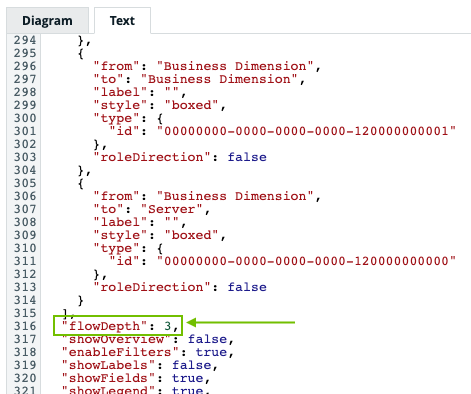
- Click Save.
Tip For more information on working with the diagram view text editor see: