Activities
In the main menu of Collibra Data Intelligence Cloud, you can look up the most recent activities and their status by clicking  .
.
If there are activities still running, the wheel is turning.
Opening the Activities list
You can open the Activities list in several ways:
- From the main menu:
-
In the main menu, click , then Show more.
Your profile page opens on the Activities tab page.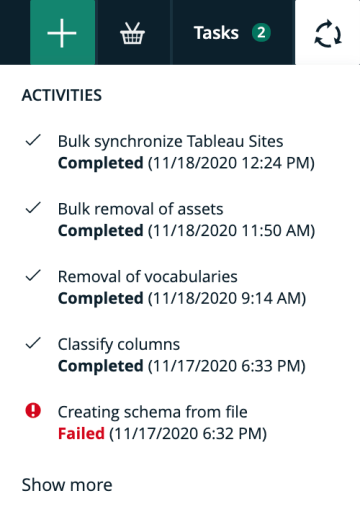
-
In the main menu, click
- From your profile:
-
In the main menu, click your avatar → Profile.
-
In the tab pane, click
Activities.
The Activities tab page opens.
-
In the main menu, click your avatar → Profile.