Review Request Handler workflow
When an asset review is triggered:
- A new Review Request asset is created, with the status New.
- The Review Request Handler workflow is triggered.
This workflow prompts the Business Steward to review the details of the Review Request asset and accept or reject the asset.
| If the Review Request asset is... | Then... |
|---|---|
| Accepted |
The status of the Review Request asset becomes Accepted. Note If the asset to be reviewed is an assessment asset, the Business Steward can choose to either:
The new assessment asset is created with the status Candidate. The status of the previously existing assessment asset becomes Obsolete. The Review Request Handler (Sub Process) workflow is triggered on the business asset to be reviewed or the new assessment asset, and the asset follows the asset change management process. When the proposed changes have been approved:
|
| Rejected |
|
Requester and Stakeholder responsibilities
If an asset review is triggered manually, the user that triggered the review request:
- Is assigned the Requester responsibility for the Review Request asset.
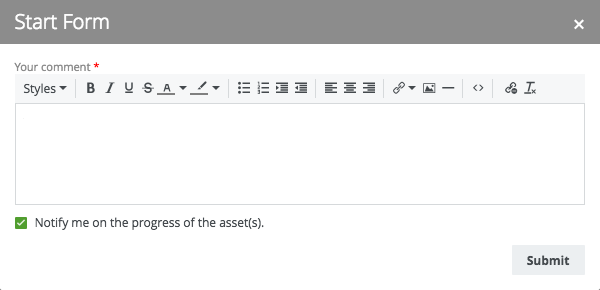
- Can select Notify me on the progress of the asset(s), when triggering the request, to also be assigned the Stakeholder responsibility for the Review Request asset.
- Receives notifications about any changes to the Review Request asset.
Status evolution
Review Request assets can have the following statuses:
| Condition | Status |
|---|---|
| The Review Request asset is created. | New |
| The Business Steward reviews the Review Request asset and decides that change to the related asset is warranted. | Accepted |
| The Business Steward reviews the Review Request asset and decides that no change to the related asset is warranted. |
Rejected |
| The related asset has been updated and all changes have been approved. |
Implemented |
|
For a given asset, a related Review Request asset exists with the status Implemented. For the same asset, a new Review Request asset is created. |
|
