View ratings
If ratings are enabled for an asset type and one or more ratings has been provided for an asset of that type, the associated ratings activity appears in several places in the UI.
On an asset page
Ratings information appears on the asset page of any asset with one or more ratings.
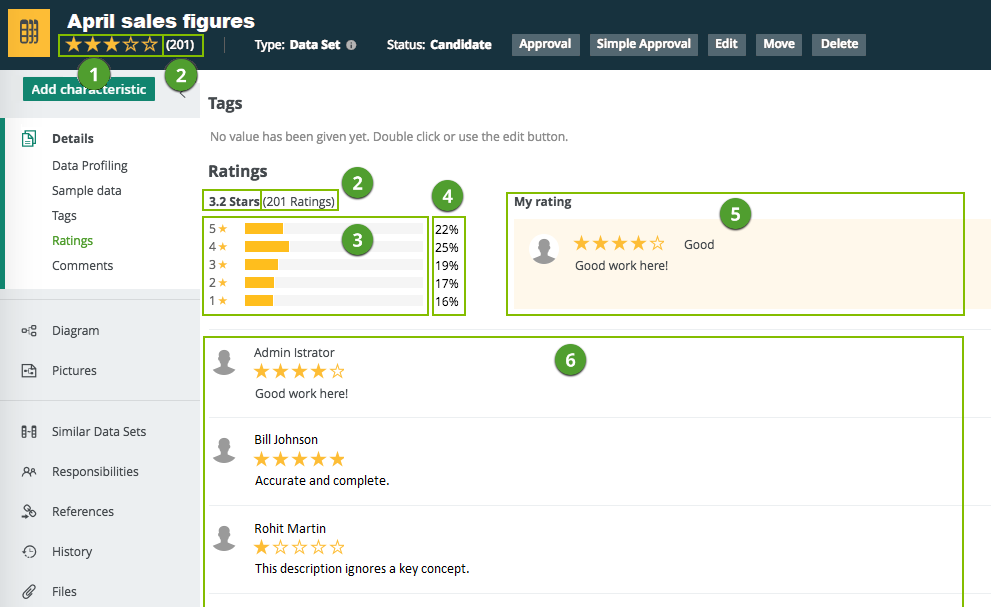
| No. | Description |
|---|---|
| 1 |
The average of all user ratings for that asset. |
| 2 | The total number of ratings. |
| 3 | A horizontal bar chart showing the distribution of ratings. |
| 4 | The percentage of total votes per number of stars. |
| 5 | Your rating and review. |
| 6 | Other users' ratings and reviews, ordered from newest to oldest. |
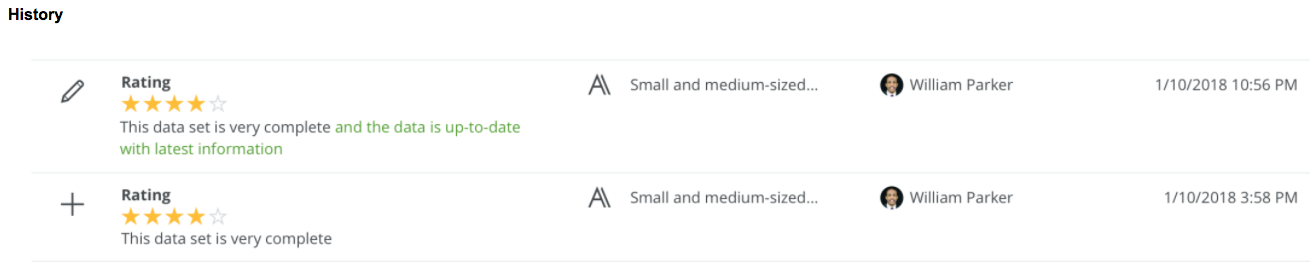
In the History tab
User ratings and any edits to, or deletions of, ratings are shown in the History tab page of the relevant:
- Asset pages.
- User profiles.
- Community pages.
- Domain pages.
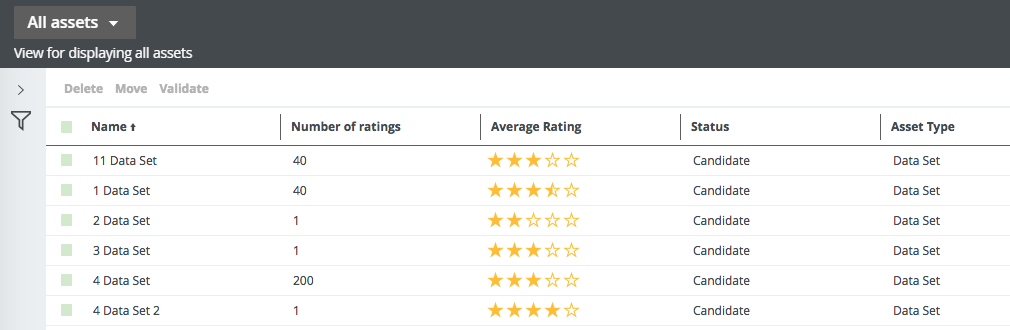
In an asset table or set of tiles
There are two fields related to ratings that can be shown in an asset table or set of tiles:
- Average rating: The average of all user ratings for each asset.
- Number of ratings: The total number of ratings for each asset.
You can sort on these two fields and filter them.